
How to Prevent Duplicate Gifts in Your Holiday Donation Drive
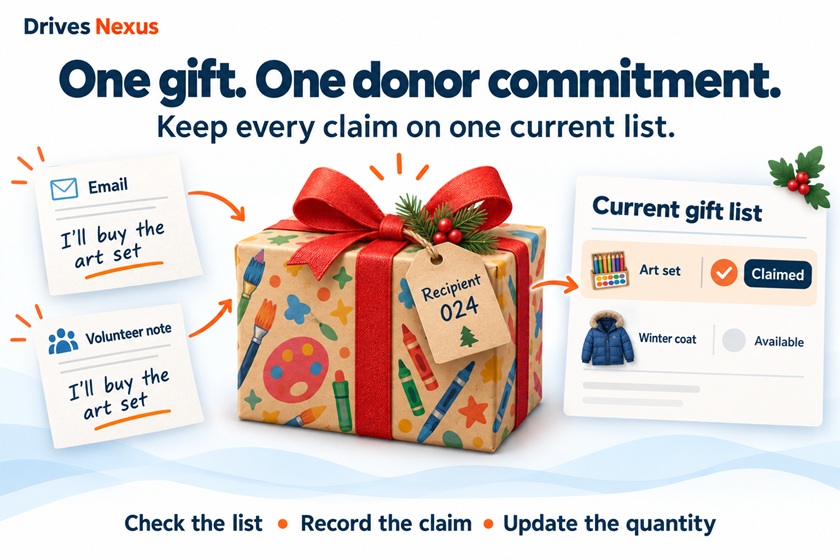
One donor emails your coordinator to claim a gift. Another tells a volunteer they’ll buy the same item. Both commitments are accepted because neither person sees the other’s update.
The fix starts with one simple rule: Every donor commitment must be recorded in the same place.
Here’s how to put that into practice:
1. Share one current list. Give donors and volunteers the same link. Separate spreadsheets, printed lists, and screenshots can quickly become outdated.
2. Record commitments as soon as they happen. If a donor claims an item by phone or email, update the main list before confirming the commitment.
3. Identify the recipient and quantity. “Art set” is not enough. “One art set for Recipient 024” makes the request easier to match and track.
4. Give volunteers a clear process. Before accepting a commitment, they should check the current list. If they cannot update it themselves, designate someone who can.
Keep “claimed” separate from “received.” A gift should stop being available when a donor commits to it, while your team still tracks whether it actually arrives.
Try this before sharing: Walk through a gift selection with a volunteer. Can both of you immediately see that the request has been claimed? If you need to exchange messages to find out, tighten that process before more donors participate.