
A donor selects a gift. Your list looks complete. But when volunteers begin sorting donations, two identical toys have arrived and another requested gift is missing.
The problem often starts with disconnected lists or an unclear status. A gift promised by a donor is not the same as a gift physically received by your organization.
To organize a holiday toy drive, use one current record for each need, one donor-selection process, and a consistent way to record arrivals. Review outstanding commitments before the delivery deadline so your team has time to follow up or find replacements.
Keep three questions visible throughout the drive
- What can donors still select?
- What has been promised but has not arrived?
- What is ready to give to the intended recipient?
1. Choose the right gift-drive model
Decide how donors will participate before building the gift list. Use the simplest model that meets your program’s goals.
| Model | Example | What to watch |
|---|---|---|
| Exact-item requests | One winter coat, youth size 12 | Track each requested item and its size or specifications. |
| General-category collection | 50 board games for ages 8–10 | Track quantity targets so excess in one category does not hide shortages in another. |
| Recipient-based wish lists | A child’s coat, book, and art kit | Keep each gift connected to the recipient and check whether the full wish list is covered. |
| Hybrid drive | Recipient wishes plus a general toy collection | Define how gifts are allocated so the same need is not counted twice. |
Confirm your launch, donor-selection, drop-off, and distribution dates. Leave enough time between the final drop-off and distribution to sort gifts and resolve missing or incorrect items.
2. Build one clear record for every need
The donor list, collection record, and distribution list should refer to the same need. Avoid recreating requests independently in separate files or forms.
- For individual gifts: record a unique item ID, recipient or family ID where needed, description, quantity, donor commitment, deadline, and current status.
- For category collections: record the category, age range or size, target quantity, promised quantity, received quantity, and collection location.
Use an identifier such as GIFT-042. “Blue coat” is not specific enough when several similar gifts are being collected. Use recipient codes on public-facing materials instead of unnecessary personal information.
Make each request easy to fulfill
Replace “toy” with “cooperative board game for ages 8–10,” or “clothes” with “winter coat, youth size 12–14.” Include the details a donor needs to buy the correct item without contacting staff.
Publish your rules for new versus used items, wrapping, price guidance, and substitutions. Be explicit about whether the brand, color, or style can change and whether the size must match exactly.
3. Separate donor commitments from arrivals
At minimum, distinguish available, claimed, received, and distributed gifts. Add a verification check when your team needs to confirm size, quantity, condition, or recipient assignment before packing.
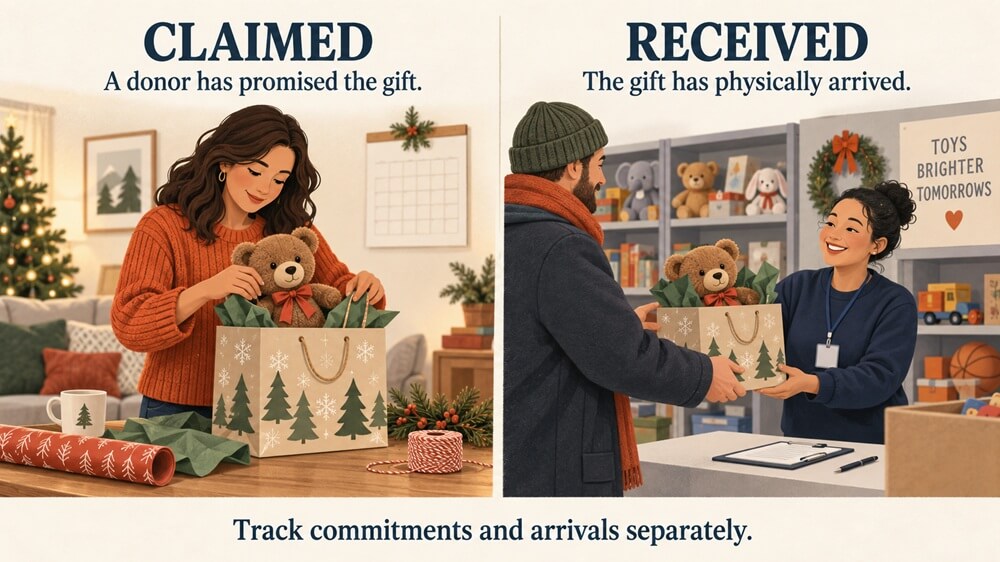
These are recommended operating stages. Depending on your tools, verification and exceptions may be recorded with a checklist or note rather than a separate software status. Assign an owner to overdue, unidentified, or incorrect gifts so someone follows through.
4. Use one selection process and clear instructions
Direct donors to one current selection page or a designated coordinator. Once a commitment is confirmed, update the available quantity so the same need is not offered again. If a donor selects by phone or email, the coordinator must update that same record.
If you use temporary reservations, define who releases unfinished selections and when. Do not assume a reservation expires automatically unless your system supports it.
Every confirmation should include the selected items, identifiers, delivery deadline, drop-off address and hours, labeling and wrapping instructions, and a way to report a cancellation. Tell donors to look for a volunteer and check in before leaving gifts.
Make cancellations easy to report. An early update gives your team time to reopen the need and find another donor.
5. Label gifts and check what actually arrives
Give donors a consistent label format. Include the drive name, item ID, recipient or family code where applicable, donor confirmation number, and package number for multi-package donations.
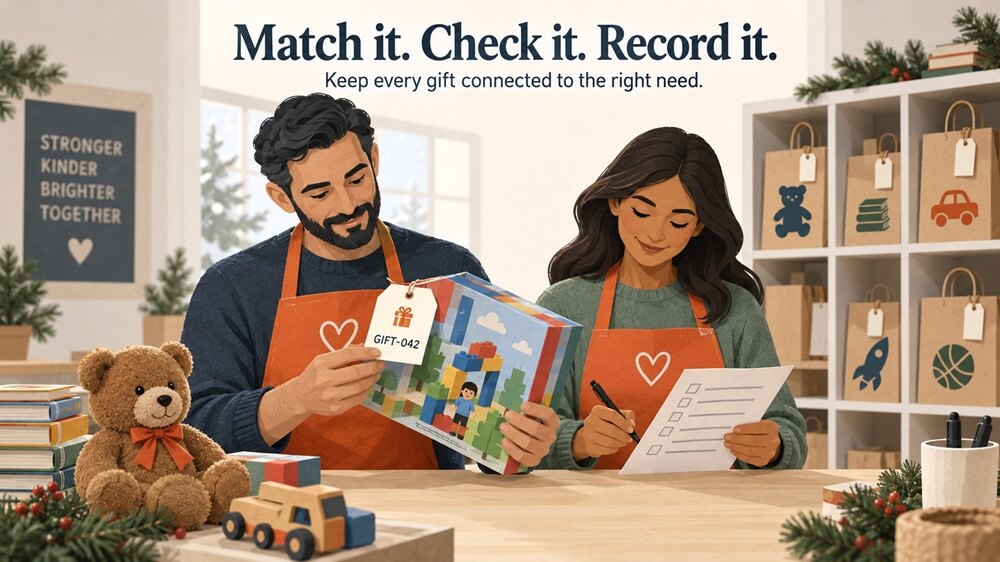
For example: Holiday Gift Drive | Item GIFT-042 | Family AF-014 | Confirmation DN-2087 | Package 1 of 2. Use fictional examples in instructions and keep personal details off public labels.
- Match the gift to its expected item or confirmation record.
- Check the item, size, quantity, and condition; record what arrived, when, and where.
- Flag mismatches and place unmatched gifts in a designated holding area.
- Move verified gifts to the correct family, recipient, or category staging area.
For a corporate delivery, reconcile the contents against a packing list. A box arriving does not prove every promised gift is inside. Follow the receiving process your tools support, and keep any incomplete commitment clearly identified for follow-up.
6. Keep collection locations and volunteers aligned
Give every collection site a coordinator, the same labeling and check-in instructions, and a reporting deadline. Track transfers to the central location so gifts are not counted twice. Each handoff should identify who sent the gifts, who received them, and what moved.
Give volunteers the information needed for their task. Collection and sorting teams generally need item identifiers and handling instructions, not full donor or recipient records.
7. Find missing gifts while there is time to act
Review outstanding needs several times a week, moving to a daily review as the deadline approaches. Prioritize overdue commitments, cancelled gifts, incorrect items, and recipients with essential gaps.
Review by age group, size, and category as well as by total. A drive can have plenty of toys for younger children and still lack gifts for teenagers.
Separate open needs from gifts still to arrive
Suppose your target is 50 board games. Donors have committed to 32 in total, including 21 already received. You have 18 games still available for selection, 11 promised games awaiting delivery, and 29 games still needed physically. Define these measures clearly so your team does not solicit replacements for commitments that are still on schedule.
| Timing | Action |
|---|---|
| Before the delivery deadline | Remind donors whose gifts have not arrived and confirm their plans. |
| When a commitment is overdue | Contact the donor, record the response, and assign someone to follow up. |
| At your replacement cutoff | Resolve uncertain commitments and reopen confirmed gaps for replacement outreach. |
| Before distribution | Complete a final recipient or category check and resolve remaining essential needs. |
Set your replacement cutoff before launching the drive. If you replace an unfulfilled commitment, update the original donor so a late delivery does not create another duplicate.
Make outreach specific: “We still need eight winter coats in youth sizes 10–14” gives supporters a clearer action than a general request for more donations.
8. Verify completeness before distribution
Check each recipient’s package or each category allocation against the approved needs. Confirm package labels, sizes, gift-card values where relevant, and any substitutions. Assign an owner to unresolved gaps, then record the final handoff when gifts are distributed.
Your final readiness check
- Each need has one record, a clear description, and a current status.
- Donors know what to buy, how to label it, and when and where to deliver it.
- Received gifts have been matched, checked, and placed in the right staging area.
- Outstanding gifts, transfers, and replacements have owners.
- Recipient packages or category allocations are complete and ready for handoff.
When is a spreadsheet still enough?
A spreadsheet can work for a small drive managed by one person, with simple category targets and one collection location. The pressure grows when donors select specific gifts, multiple volunteers update records, or gifts must stay connected to individual recipients.
The deciding factor is how many commitments, changes, and handoffs your team must keep synchronized. If staff repeatedly reconcile lists to answer what is still missing, it is time to consider a connected process.
Bring your holiday drive into one organized place
Drives Nexus helps nonprofits organize gift needs, connect donors with opportunities to give, track commitments and received donations, and coordinate donation drop-off. Your team can spend less time reconciling scattered information and more time helping donors and volunteers complete the drive.
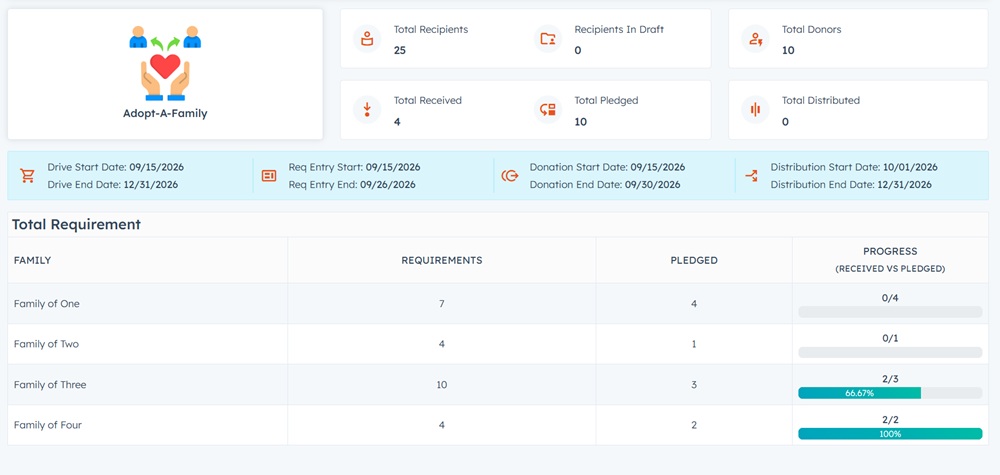
Run one drive free every year with Drives Nexus. No credit card required. Start with a toy drive, holiday gift program, winter clothing collection, or Adopt-a-Family program.
Frequently Asked Questions
How can we prevent duplicate toy donations?
Use one current list and one donor-selection process. Update the remaining quantity after a confirmed commitment, and record offline selections in the same place.
What is the difference between claimed and received?
Claimed means a donor has promised the gift. Received means it has physically arrived. Track both so an outstanding promise is not mistaken for a completed donation.
What should we do when a donor cancels?
Update the commitment, reopen the need if it is still required, and assign replacement outreach. Explain how to report cancellations in the donor confirmation.